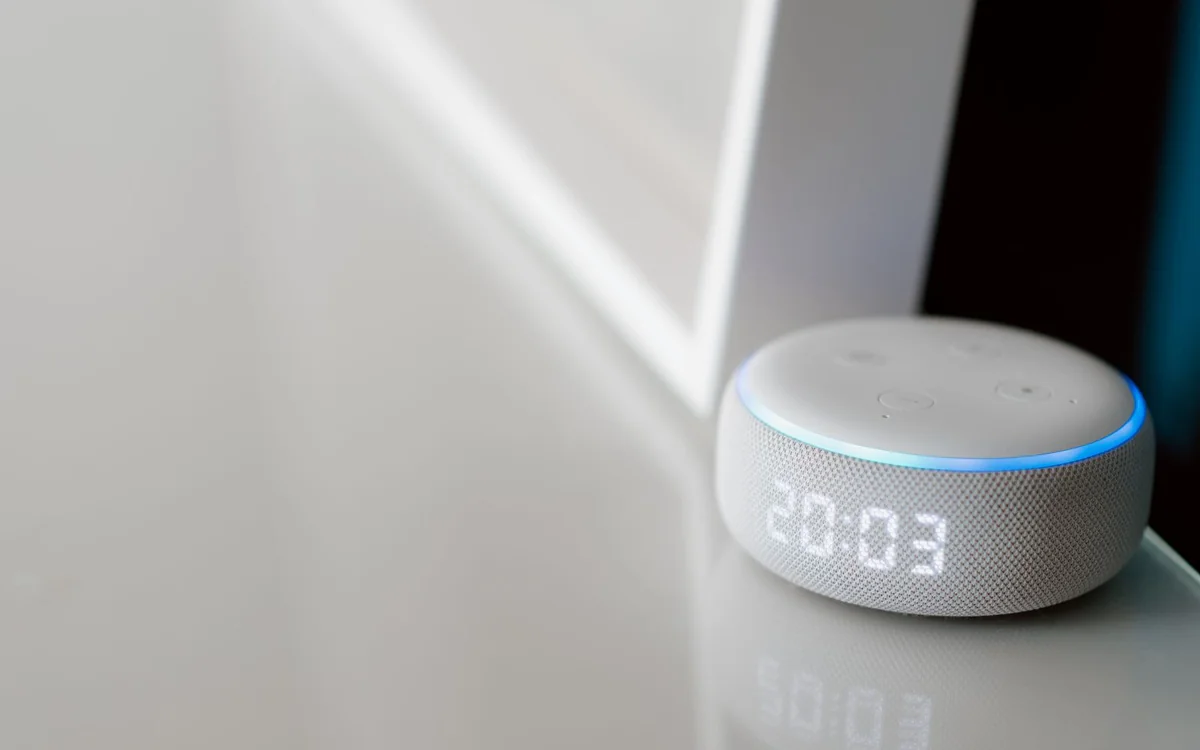
A smart speaker suits a household that values hands-free routines and accepts the service's documented data processing. If voice assistance adds little, a conventional speaker can be the simpler purchase.
Choose the routine before the assistant
A smart speaker can be useful while your hands are busy cooking, when you want a household timer or when a familiar music service is easier to control by voice. It can also become an expensive ornament if the household rarely uses those functions. Before comparing assistants, name three recurring tasks you would actually ask the device to perform. That short list makes the purchase easier to evaluate than a long feature demonstration.
This article is a research-based buying guide using official privacy and product information. It does not claim audio tests, voice-recognition measurements or personal use. Privacy settings and service capabilities can change, so read the current documentation for the exact speaker and assistant available in your region.
Match services, language and household habits
Check whether your preferred music service works with the assistant in your country and whether the account tier you use supports the functions you want. If several household members listen to different services, decide how accounts and playback will be handled. A compatible service on paper is not the same as a frictionless arrangement for everyone who shares the room.
Language support, household controls and compatibility with existing smart-home devices also deserve a direct check. An assistant that fits one person's phone and accounts may be less convenient for another. Choose the system that supports your present routines clearly rather than treating a future promise of new functions as a reason to buy now.
Understand what the microphone control does
Google’s current Home Speaker listing documents a physical microphone toggle on the bottom: when muted, it will not respond to voice requests but can still play audio. Amazon also describes microphone controls and voice-history tools for its Alexa ecosystem. Read the exact model’s documentation instead of assuming every speaker uses the same arrangement or data behavior.
A microphone-off control can be useful when you do not want voice interaction, but it does not erase earlier account activity or answer every privacy question. Learn how to review and manage the relevant history separately. Treat hardware controls and account controls as complementary parts of the purchase, each with its documented scope.
Cloud processing and saved history are different questions
For Gemini for Home, Google’s Home and Nest Privacy Hub distinguishes interaction transcripts from optional audio recordings. It documents Home history controls for managing saved activity and a separate choice concerning voice, audio and Gemini Live recordings. Review those settings for the current service instead of assuming a saved-recording option means every request stays on the speaker. The microphone toggle and account-history settings answer different privacy questions.
Do not rely on an old review for a current setting. Assistant platforms evolve, and features can differ by country, account or model. The sources below provide official starting points, but your purchase should include a current check of the setup screens and privacy information for the service you will actually use.
Sound quality deserves its own decision
Voice convenience and musical enjoyment are separate purchase criteria. A compact speaker may fit a kitchen shelf and deliver the simple routine you want, while a larger listening room may justify another audio arrangement. Without laboratory or hands-on results, this guide cannot rank models by sound quality. Read the official connection and placement information, and listen in person where practical.
If the main goal is playing music from a phone, a conventional wireless speaker may achieve it without introducing a voice assistant account into the room. That can be a better purchase for someone who does not need timers, household control or spoken requests. Pay for the functions you will use, not an assistant simply because it is bundled into a speaker.
Choose a current model through official information
The current Google Home Speaker listing identifies Gemini for Home as its voice service. Consult Google’s Home and Nest Privacy Hub for that service’s data practices, rather than relying on older Google Assistant guidance. For an Alexa-based shortlist, use Amazon’s current model information and applicable privacy documentation. Check the exact service available in your region before deciding which ecosystem fits the household.
Compare the complete cost, including any subscriptions needed for the routines you want. Some functions depend on a service account, an additional smart-home controller or compatible devices. Check regional availability, return terms and supported account features. A low hardware price is less appealing if the intended use relies on a recurring service you do not want.
A sensible first-week setup
Begin with the few functions that motivated the purchase. Review microphone controls, account history settings and household permissions, then try the planned routines in the intended room. Confirm that everyone can stop playback and control the microphone without searching through menus. Follow the maker's update and account-security guidance so the device remains manageable after setup.
If voice commands make cooking, timers or music appreciably easier, the speaker has a clear role. If the household keeps it muted because the convenience is not worth the perceived data tradeoff, consider returning it or choosing a simpler audio product. A good purchase fits your comfort with the documented service behavior as well as the space on the shelf.
At a glance: choose for your routine
| Your situation | What to prioritise | The tradeoff |
|---|---|---|
| Hands busy while cooking | Check supported timers, media services and understandable microphone controls | Voice convenience introduces service and account settings to maintain. |
| Primarily playing music from a phone | Compare a conventional speaker before paying for assistance | You lose spoken routines you may not have needed in the first place. |
| Shared room with guests and children | Review household permissions and explain physical controls | Other people may interact with an account-managed device they did not choose. |
| Buying Google Home Speaker for conversational functions | Check Gemini for Home privacy guidance and included versus paid functions | Saved activity, optional recordings and premium services have separate settings. |
Options to consider
Compare the exact model, configuration and local warranty before ordering. Prices and availability can change; the links below open official product or brand information.
Google Home Speaker with Gemini for Home
An official starting point for checking a voice speaker that fits compatible Google household services.
Consider the tradeoff: Check regional features, Gemini for Home privacy settings and which intended functions require a subscription.
Explore at the official siteYour questions answered
Does turning off saved recordings mean commands never use cloud processing?
Not necessarily. Processing and retention are separate questions. Read the current service documentation for the exact setting and device.
Should I buy a smart speaker mainly for music?
Only if its voice functions and service support are useful to you. A conventional speaker may be a simpler choice when you mainly play audio from a phone.
Sources & methodology
- Google official speaker store information
- Google Home and Nest Privacy Hub: Gemini for Home
- Amazon official Alexa privacy explanation
Sources checked 7 October 2026. Recommendations are editorial judgments based on documented features, compatibility and everyday scenarios. Manufacturer performance figures are claims, not our measurements. Read our editorial policy.